Features
Plan Every Practice Before You Leave the House
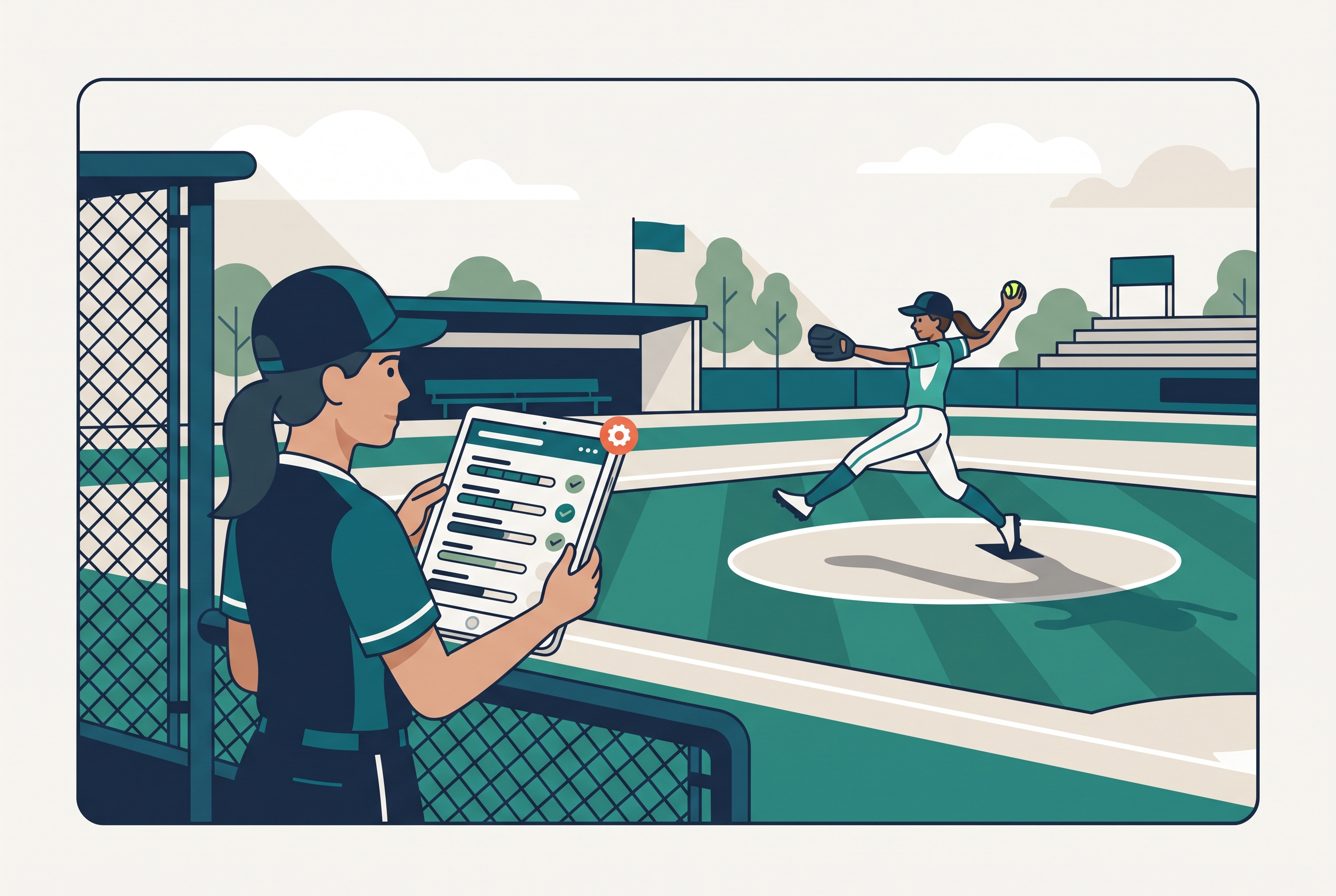
Practice Manager turns the two hours between roster and game day into a plan you can actually run. Pick a practice off your schedule, drag modules onto a timeline, split a block into stations, and Rizzler handles the clock, the equipment list, and getting the plan onto every coach's phone. It works on the web and on iPhone, and it's included on every plan.
What Practice Manager Includes
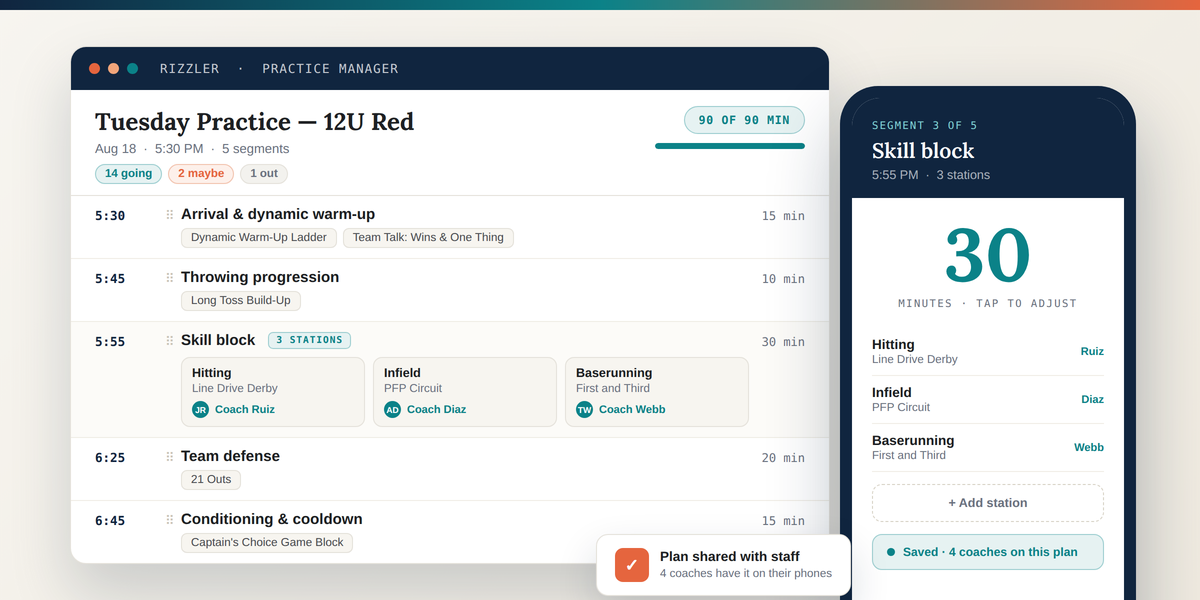
A timed segment builder. Your practice is a stack of segments, each with a name, a length, and notes. Drag to reorder. Rizzler computes the start time of every segment from the practice's actual start time, so the plan reads as a run of show, not a list of ideas.
A curated module library. 85 coach-ready modules ship with the product, grouped into five phases: arrival, warm-up, core, conditioning, and cooldown. Baseball, softball, volleyball, football, and flag football each get 15 sport-specific modules, and 10 universal modules work for any sport. Every module carries the detail you need to run it: how many athletes and coaches it needs, a default and minimum and maximum duration, age bands, intensity, equipment, space requirements, coaching points, easier and harder progressions, and safety notes.
Stations. Turn any segment into two to six parallel stations. Give each station a module and a coach to lead it. Rizzler keeps the station grid inside the segment, so the timeline still reads cleanly and everyone knows where they're supposed to be.
A duration meter. Rizzler totals your planned minutes against the length of the scheduled practice and shows it as a percentage. Run long and it warns you before Saturday, not during it.
RSVP counts while you plan. The going, maybe, and out counts from the practice event sit on the summary bar. Plan for the number of players who are actually coming.
An automatic equipment list. Rizzler assembles the equipment list from the modules on your plan. Override it if you want to add something.
Templates. Save a plan shape you like and load it into any future practice. Available on Coach and Club.
A printable coach sheet. One page with a time column, every segment, the station grid, and the equipment list. Print it or keep it on your phone.
Web and iPhone. The full editor works on both. Build it on a laptop, adjust it in the parking lot.
How It Works
- Pick the practice. Choose a practice from your schedule, or start an unattached draft. You can also jump straight in from the practice plan icon on any practice row in your schedule.
- Choose your starting point. Start blank, clone your last practice, or load a saved template.
- Drag in modules. Search or browse the library by phase. Drop a module onto an existing segment to add it, or into the gap between segments to create a new one sized to that module's default length.
- Set your stations. Flip any segment to stations, add two to six, and assign a module and a lead to each.
- Check the clock. Watch planned minutes against scheduled length. Trim or extend segments until it fits.
- Save and share. Every coach and staff member on the team sees the plan. Print the coach sheet, or run it from your phone.

Which Plans Include It
| Free | Coach | Club | |
|---|---|---|---|
| Practice Manager | ✅ | ✅ | ✅ |
| Active practice plans | 3 | Unlimited | Unlimited |
| Full 85-module library | ✅ | ✅ | ✅ |
| Stations | ✅ | ✅ | ✅ |
| Printable coach sheet | ✅ | ✅ | ✅ |
| Save & load plan templates | — | ✅ | ✅ |
How It Fits with the Rest of Rizzler
Practice Manager sits next to Game Planning, which handles lineups and game day. Practices come from your schedule, and the RSVP counts you see while planning come from the same attendance responses families submit there. If you want to run structured skill evaluations rather than practice, that's Player Evaluations.
If you want to try the builder before creating an account, the free practice planners run the same module library without a login: baseball, softball, volleyball, and basketball. Build a plan there, print it, and save it to your account when you are ready; it lands in Practice Manager with every module unlocked. Complete sample sessions by age live on the baseball practice plans, softball practice plans, basketball practice plans, and volleyball practice plans pages.
Frequently Asked Questions
Does Practice Manager work for my sport?
Yes. The builder itself is sport-agnostic and works for all 20 sports Rizzler supports. Baseball, softball, volleyball, football, and flag football each ship with their own curated module library. Every other sport gets the 10 universal modules plus any custom modules your team creates.
Can I create my own modules?
Yes. Custom modules you build in your team library appear alongside the curated ones and can be dropped onto any plan.
Can players and parents see the practice plan?
Not today. Practice plans are visible to coaches and staff on the team. Player and parent visibility is on the roadmap.
How many stations can one segment have?
Between two and six. Each station gets its own title, an optional module, and an optional coach to lead it.
Can I edit a plan from my phone?
Yes. The iPhone app has the full editor: reorder segments, adjust durations, switch a segment to stations, pick modules, and add notes.
What happens if my plan runs longer than the practice?
Nothing breaks. The duration meter turns to a warning state so you can see the overrun and decide what to cut.
Does the equipment list update automatically?
Yes. It's derived from the modules on your plan and refreshes as you add or remove them. You can override it manually.
Can two coaches edit the same plan at once?
Not simultaneously. Saves are last-write-wins with a staleness check, so if someone else saved while you were editing, Rizzler tells you rather than silently overwriting their work.
Read Next
How to Run a Little League Evaluation Day with Rizzler
For LeaguesTeam Tryouts: Professional Tryout Management for Travel Clubs
FeaturesAmerican Legion Baseball Age Chart 2026: Eligibility
RulesHow to Build a Batting Order for 11U-12U Baseball
LearnRizzler for Travel Ball Assistant Coaches
For CoachesSoftball Tryout Evaluation Form: What to Score (Free Template)
Learn