
Learn
How to Track Attendance for a Youth Sports Team (Without the Group Text)
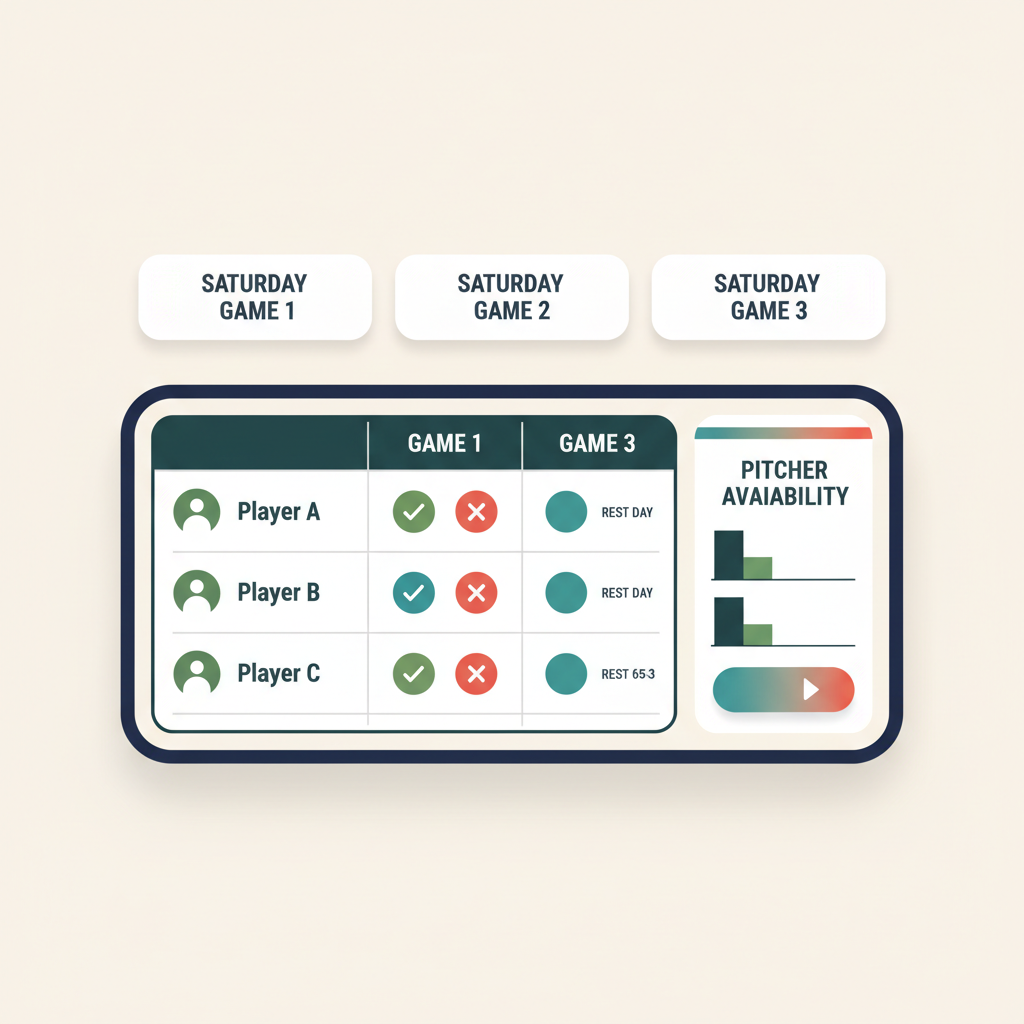
The fastest way to track attendance for a youth sports team is to let families set their own availability against your schedule, so you see a live headcount for every game and practice instead of counting replies in a group text. That is the whole job. Everything else is just the method you use to get there, and the method matters, because the wrong one turns a two-minute check into a Thursday-night chore. It works the same for any sport, and if you are setting up a new team for a fall season, wiring this in before the first practice is the cheapest win of the year.

Most coaches start with a text thread. It works for about three weeks. Then the replies scatter, someone answers the wrong message, a "maybe" never becomes a yes or a no, and you show up Saturday not knowing whether you have nine players or thirteen. Attendance tracking is not really about record-keeping. It is about knowing your headcount early enough to do something about it.
Start with a shared schedule, not a spreadsheet
You cannot track attendance for events that live in your head. The first step is a single team schedule that every family can see, with every practice and game on it, each with a real location and time. If you are still building that, work through how to make a team schedule first, then come back here. Attendance is a layer you add on top of a schedule, so the schedule has to exist and be shared before anything else works.
A spreadsheet can hold the record, but it cannot collect it. You end up transcribing texts into cells, which is exactly the manual work you are trying to escape. The better model is one where the schedule and the attendance data are the same thing, so a parent responding to Saturday's game is the same action as marking Saturday's attendance.
Let families set their own availability
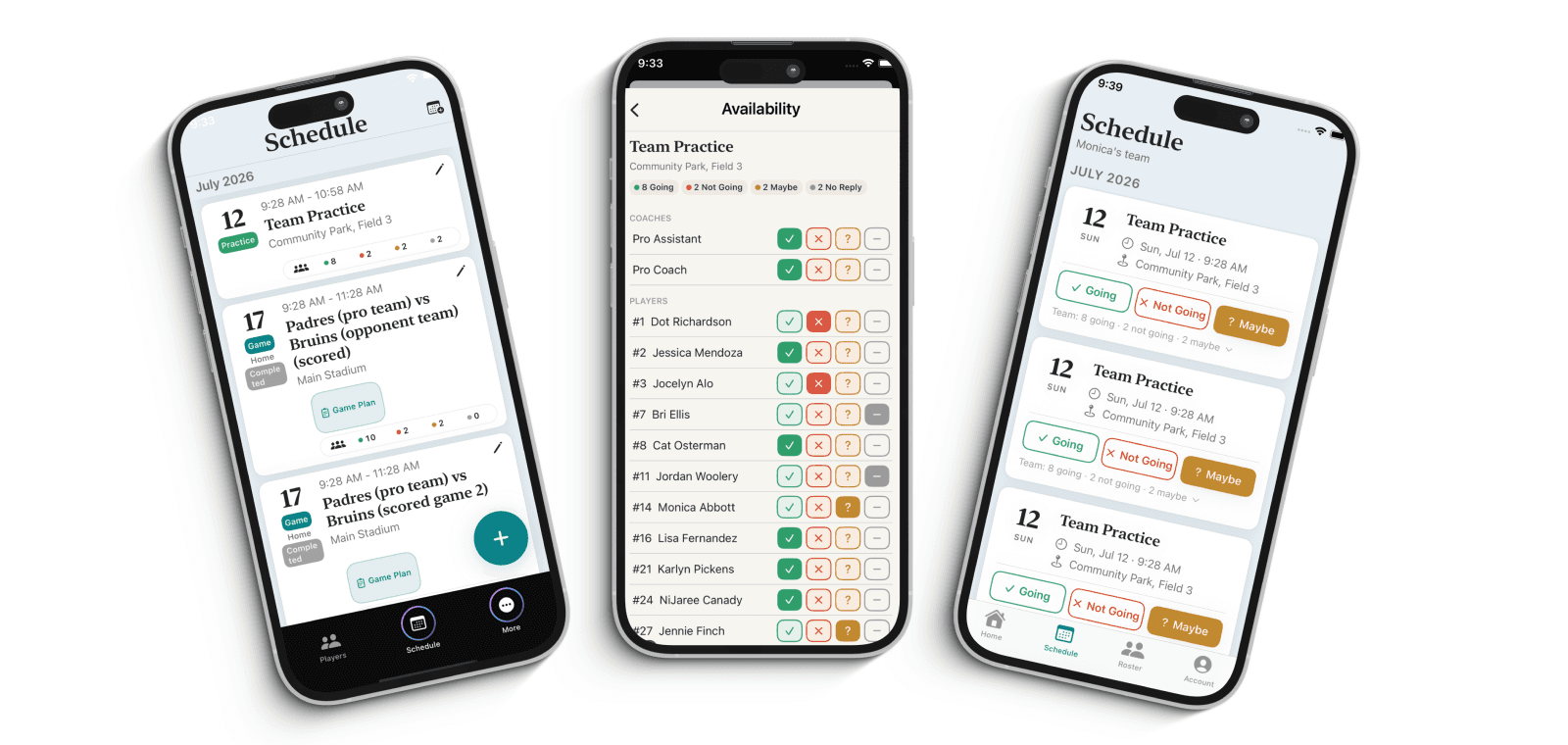
This is the piece that saves you the most time. Instead of you asking twelve families one at a time, each family answers once, for themselves, against the event. In Rizzler, players and parents set availability as Yes, No, or Maybe for every game and practice, and older players can RSVP for themselves through the player app or the website. That self-RSVP is free on every plan, which matters, because the tools that hide availability behind a paywall are the ones that push you back into the group text.
Two things make self-service availability work in practice. First, it has to be quick, a single tap, or families will not keep up with it. Second, it has to be visible to the whole team, so a parent who sees three "no" responses for Saturday understands why you might be asking them to confirm. When availability is quick and shared, you stop being the bottleneck. You are reading a headcount, not building one.
Read the headcount before it becomes a problem
The point of tracking attendance is not the number after the event. It is the number before it. If you can see on Wednesday that only eight players are marked for Saturday, you have three days to call two families, move a practice, or plan a lineup around who is actually coming. If you find out at game time, you have zero.
So build the habit of checking availability a few days out, not the morning of. A live team management app shows you the current headcount at a glance, and because families update their own status, the number you see on Wednesday is the number that is actually true, not a stale snapshot from last week. On Rizzler's Coach and Club plans, availability syncs in real time, so when a player drops two hours before the game, the list is right the moment it changes, with no reload and no guessing. The schedule and attendance overview shows how the headcount, calendar sync, and notifications work as one system.
Turn the "maybe" pile into real answers
Every team has the family that never responds and the "maybe" that never resolves. Chasing them by hand is the tax you pay for a manual system. A better setup sends the reminder for you. On Coach and Club, Rizzler can send email and SMS notifications for RSVP requests, so the nudge goes out automatically and you are not the one typing "hey, can you confirm Saturday?" for the fourth time.
Keep the ask simple. Families are far more likely to answer a one-tap availability prompt than a paragraph that asks them to reply in a thread. The lower the friction on their end, the cleaner your headcount on yours. If no-shows are your bigger problem, we go deeper on that in how to reduce no-shows at practice.
Keep a record you can actually use
Once availability is flowing, you have an attendance record without lifting a finger, and that record is worth more than it looks. Over a season it tells you who is reliably there and who is not, which is useful when you are talking to a family about playing time, commitment, or where a kid fits. It also protects you: when a parent asks why their child sat, "here is the attendance for the last six practices" is a calmer conversation than one built on memory.
You do not need to grade anyone. You just need the data to exist and to be honest, which it is when families enter it themselves. That is the quiet benefit of self-service availability: the record is a byproduct of the thing you already needed, the headcount, so you get it for free.
The short version
Tracking attendance for a youth sports team comes down to four moves. Put every event on one shared schedule. Let families set their own availability so you are not collecting replies by hand. Check the headcount a few days out, not the morning of. And let the app send the reminders so the "maybes" turn into real answers on their own. Do that, and attendance stops being a weekly chore and becomes something you glance at, which is exactly where it belongs. The bonus is a season-long record that keeps parent conversations grounded in fact instead of memory.
Frequently Asked Questions
What is the easiest way to track attendance for a youth sports team?
Put every game and practice on one shared schedule and let families set their own availability against it. In Rizzler, players and parents mark Yes, No, or Maybe for each event and older players can RSVP for themselves, so you read a live headcount instead of counting replies in a group text. Basic availability and RSVP are free on every plan.
Can players RSVP for themselves, or does it have to be a parent?
Both. Parents can set availability for younger kids, and older players can self-RSVP through the player app or the website. That takes the whole team off your plate instead of routing every response through you.
How do I see who is coming before the game?
Check availability a few days out rather than the morning of. A live headcount tells you early enough to call a family or adjust a lineup. On Rizzler's Coach and Club plans, availability updates in real time, so the list is right the moment a player's status changes.
How do I get families who never respond to answer?
Make the ask a single tap, and let the app send the reminders. On Coach and Club, Rizzler sends email and SMS notifications for RSVP requests, so the nudge goes out automatically and you are not chasing the same "maybes" by hand every week.
Is there a record of attendance I can look back on?
Yes. Because families enter their own availability, the attendance record builds itself over the season. That history is useful for honest conversations about playing time and commitment, and it keeps those talks grounded in fact rather than memory.
Ready to see your headcount at a glance instead of chasing it?
Running attendance across a whole club or league? Our team can help.
Talk to our team
Want to spend more time coaching and less time with paperwork? Let's talk.
Tell us about your team and we'll show you how to plan games, set lineups, run the schedule, and develop players in one place, so you spend the season coaching instead of chasing admin.
Less admin, more coaching
Plan games, set lineups, and track the season in one place
Keep every family in the loop automatically
Tell us about your program
4 fields · takes 30 seconds
Lands in the same inbox as the Help button · human response only
Read Next
Best Baseball Tryout Management Tools in 2026
LearnWhat Rules Does Rizzler Check Automatically?
FAQLearn: Youth Sports Coaching Guides
LearnTournament Planning for Youth Baseball: Plan Your Whole Weekend
FeaturesHow Much Does Rizzler Cost? Pricing & Plans
FAQQuality At-Bats (QAB) Explained for Parents & Players
Learn